|

|
 | |  |
|
| Schedules4Team™ for Microsoft® Outlook® |
version 3.01.0459 |
| Share a Microsoft Outlook workgroup calendar, Schedules and Free/Busy time without a server. |

Click to see more Screenshots |
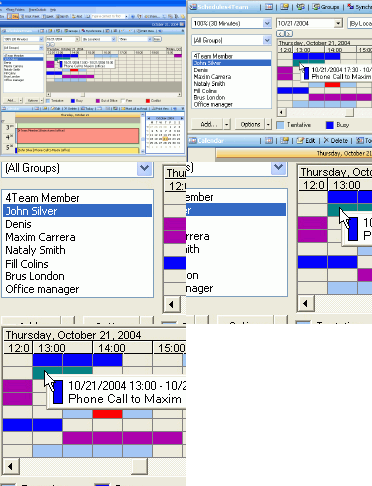
Create and share (synchronize) multiple group schedules (people, resources) and free/busy time in Microsoft Outlook.
This add-on tool for Microsoft Outlook is based on functionality of electronic messaging (e-mail). When you or your teammates add meetings (appointments) to Calendar,
the program converts them into e-mail messages. Microsoft Outlook sends them out to your teammates. Upon receipt of these messages by Schedules4Team on their
computers, the program converts them back into meetings (appointments) and places them into the Schedules4Team folder, where you can see it in regular
Calendar View or specially designed TimeLine Grid.
|
 more Screenshots... more Screenshots... |
 |
|
 |
Main Features
Share Microsoft Outlook Personal Calendar (appointments, meetings, all day events, locations), similar to Group Schedules in Microsoft Outlook with server Free/Busy Time feature;
Automatically synchronize data with your teammates.
Sort Group Calendar information by Location, by Groups, by Members, or use any combinations of these filters;
No server and no administration
Make use of Free/Busy time coloring and Meetings Labels
Employ the Find Free Time feature
Work offline or online.
Examples of use: You can plan conference room and multiple offices, share family Calendar, Create intracompany Calendar or share calendar between Companies and different Groups.
|
| For full futures list click here. |
 |
Buy Schedules4Team Now!
Since 2001 many companies and organizations have used our products.
Pricing: From $17.95 to $34.95 per license, volume discount available.
Buy Now and you receive:
License policy
1 year of free updates
1 year of free support via e-mail and live help |
 Download printable Documentation here. (589Kb) Download printable Documentation here. (589Kb) |
| |
 | |  |
|

 Home
Home



 Screenshots
 Documentation
 Frequently Asked Questions
 Top of page
 Tell a Friend
 Print
Print Add to Favorites


 Add to Cart
